主题
¥Themes
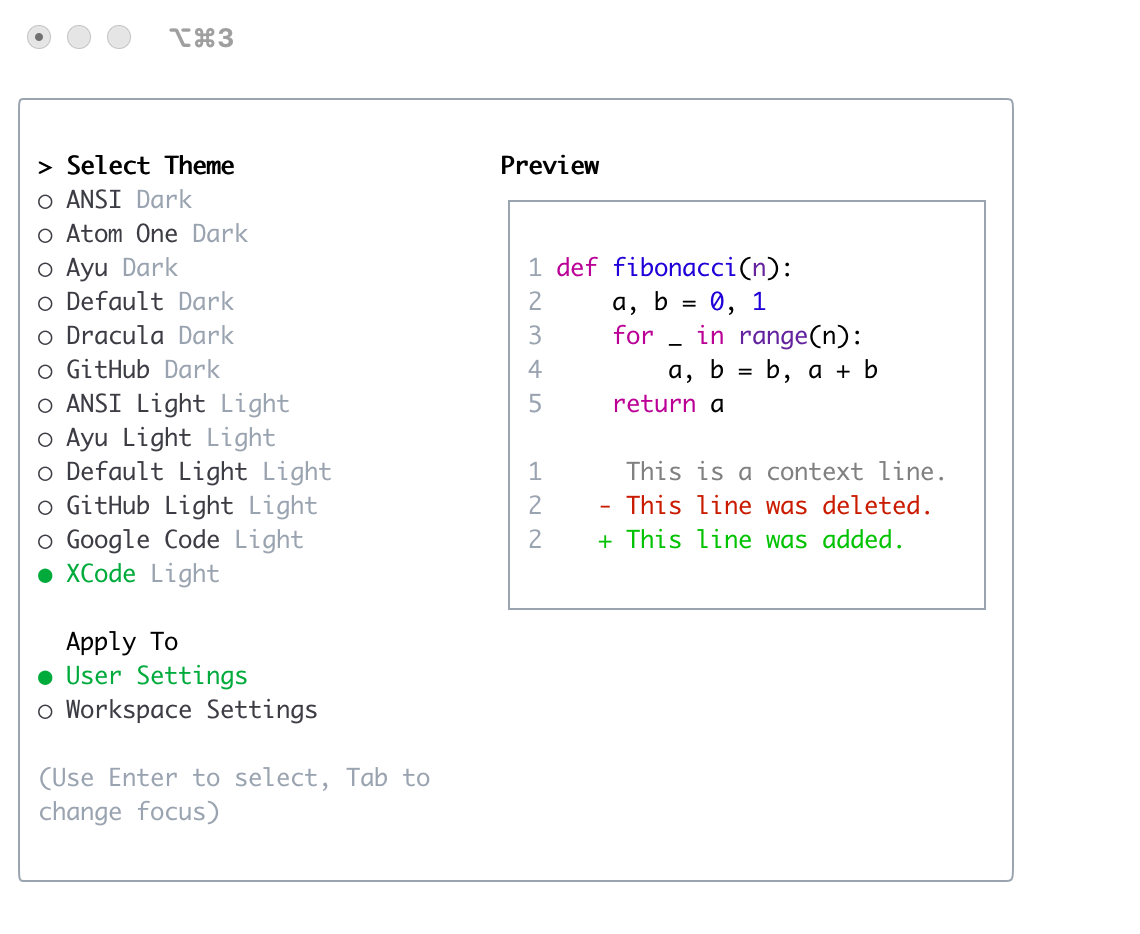
Gemini CLI 支持多种主题,方便用户自定义配色方案和外观。您可以通过/theme命令或"theme":配置设置。
¥Gemini CLI supports a variety of themes to customize its color scheme and appearance. You can change the theme to suit your preferences via the /theme command or "theme": configuration setting.
可用主题
¥Available Themes
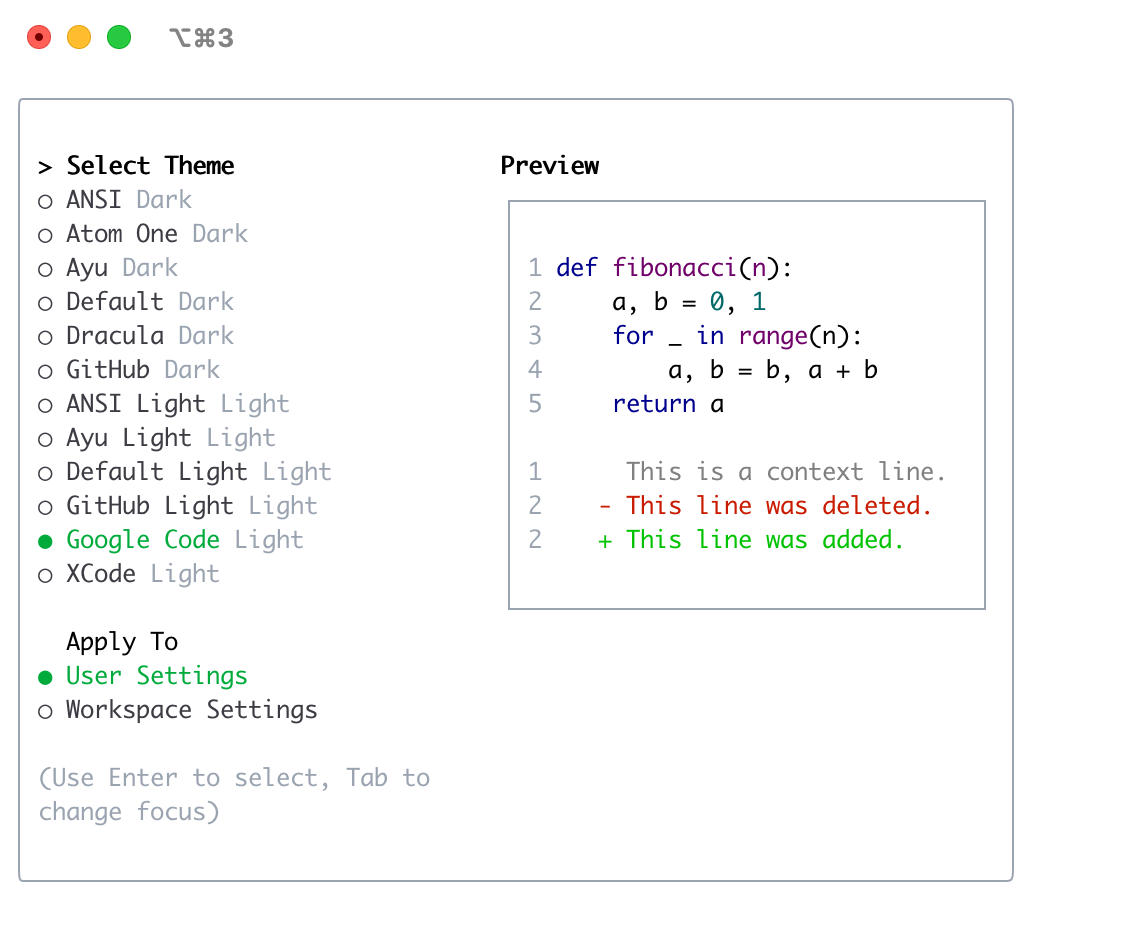
Gemini CLI 附带一系列预定义主题,您可以使用/themeGemini CLI 中的命令:
¥Gemini CLI comes with a selection of pre-defined themes, which you can list using the /theme command within Gemini CLI:
黑暗主题:
¥Dark Themes:
ANSI¥
ANSIAtom One¥
Atom OneAyu¥
AyuDefault¥
DefaultDracula¥
DraculaGitHub¥
GitHub浅色主题:
¥Light Themes:
ANSI Light¥
ANSI LightAyu Light¥
Ayu LightDefault Light¥
Default LightGitHub Light¥
GitHub LightGoogle Code¥
Google CodeXcode¥
Xcode
更改主题
¥Changing Themes
进入
/theme进入 Gemini CLI。¥Enter
/themeinto Gemini CLI.出现一个对话框或选择提示,列出可用的主题。
¥A dialog or selection prompt appears, listing the available themes.
使用箭头键选择一个主题。某些界面可能会提供实时预览或突出显示。
¥Using the arrow keys, select a theme. Some interfaces might offer a live preview or highlight as you select.
确认您的选择以应用主题。
¥Confirm your selection to apply the theme.
笔记:如果在您的settings.json文件(通过名称或文件路径),您必须删除"theme"您可以使用/theme命令。
¥Note: If a theme is defined in your settings.json file (either by name or by a file path), you must remove the "theme" setting from the file before you can change the theme using the /theme command.
主题持久性
¥Theme Persistence
选定的主题保存在 Gemini CLI 中配置因此您的偏好会在各个会话中被记住。
¥Selected themes are saved in Gemini CLI's configuration so your preference is remembered across sessions.
自定义颜色主题
¥Custom Color Themes
Gemini CLI 允许您通过在您的settings.json文件。这使您可以完全控制 CLI 中使用的调色板。
¥Gemini CLI allows you to create your own custom color themes by specifying them in your settings.json file. This gives you full control over the color palette used in the CLI.
如何定义自定义主题
¥How to Define a Custom Theme
添加customThemes阻止您的用户、项目或系统settings.json文件。每个自定义主题都定义为一个具有唯一名称和一组颜色键的对象。例如:
¥Add a customThemes block to your user, project, or system settings.json file. Each custom theme is defined as an object with a unique name and a set of color keys. For example:
{
  "customThemes": {
    "MyCustomTheme": {
      "name": "MyCustomTheme",
      "type": "custom",
      "Background": "#181818",
      "Foreground": "#F8F8F2",
      "LightBlue": "#82AAFF",
      "AccentBlue": "#61AFEF",
      "AccentPurple": "#C678DD",
      "AccentCyan": "#56B6C2",
      "AccentGreen": "#98C379",
      "AccentYellow": "#E5C07B",
      "AccentRed": "#E06C75",
      "Comment": "#5C6370",
      "Gray": "#ABB2BF",
      "DiffAdded": "#A6E3A1",
      "DiffRemoved": "#F38BA8",
      "DiffModified": "#89B4FA",
      "GradientColors": ["#4796E4", "#847ACE", "#C3677F"]
    }
  }
}
颜色键:
¥Color keys:
Background¥
BackgroundForeground¥
ForegroundLightBlue¥
LightBlueAccentBlue¥
AccentBlueAccentPurple¥
AccentPurpleAccentCyan¥
AccentCyanAccentGreen¥
AccentGreenAccentYellow¥
AccentYellowAccentRed¥
AccentRedComment¥
CommentGray¥
GrayDiffAdded(可选,用于在差异中添加行)¥
DiffAdded(optional, for added lines in diffs)DiffRemoved(可选,用于差异中删除的行)¥
DiffRemoved(optional, for removed lines in diffs)DiffModified(可选,用于差异中修改的行)¥
DiffModified(optional, for modified lines in diffs)
必需属性:
¥Required Properties:
name(必须与customThemes对象并且是字符串)¥
name(must match the key in thecustomThemesobject and be a string)type(必须是字符串"custom")¥
type(must be the string"custom")Background¥
BackgroundForeground¥
ForegroundLightBlue¥
LightBlueAccentBlue¥
AccentBlueAccentPurple¥
AccentPurpleAccentCyan¥
AccentCyanAccentGreen¥
AccentGreenAccentYellow¥
AccentYellowAccentRed¥
AccentRedComment¥
CommentGray¥
Gray
您可以使用十六进制代码(例如,#FF0000)或者标准 CSS 颜色名称(例如,coral,teal,blue)表示任意颜色值。参见CSS 颜色名称以获取受支持名称的完整列表。
¥You can use either hex codes (e.g., #FF0000) or standard CSS color names (e.g., coral, teal, blue) for any color value. See CSS color names for a full list of supported names.
您可以通过向customThemes目的。
¥You can define multiple custom themes by adding more entries to the customThemes object.
从文件加载主题
¥Loading Themes from a File
除了定义自定义主题之外settings.json,您还可以通过在settings.json。这对于共享主题或将其与主配置分开很有用。
¥In addition to defining custom themes in settings.json, you can also load a theme directly from a JSON file by specifying the file path in your settings.json. This is useful for sharing themes or keeping them separate from your main configuration.
要从文件加载主题,请设置theme您的财产settings.json到您的主题文件的路径:
¥To load a theme from a file, set the theme property in your settings.json to the path of your theme file:
{
  "theme": "/path/to/your/theme.json"
}
主题文件必须是有效的 JSON 文件,其结构与settings.json。
¥The theme file must be a valid JSON file that follows the same structure as a custom theme defined in settings.json.
例子my-theme.json:
¥Example my-theme.json:
{
  "name": "My File Theme",
  "type": "custom",
  "Background": "#282A36",
  "Foreground": "#F8F8F2",
  "LightBlue": "#82AAFF",
  "AccentBlue": "#61AFEF",
  "AccentPurple": "#BD93F9",
  "AccentCyan": "#8BE9FD",
  "AccentGreen": "#50FA7B",
  "AccentYellow": "#F1FA8C",
  "AccentRed": "#FF5555",
  "Comment": "#6272A4",
  "Gray": "#ABB2BF",
  "DiffAdded": "#A6E3A1",
  "DiffRemoved": "#F38BA8",
  "DiffModified": "#89B4FA",
  "GradientColors": ["#4796E4", "#847ACE", "#C3677F"]
}
安全说明:为了您的安全,Gemini CLI 只会加载位于您主目录内的主题文件。如果您尝试从主目录之外加载主题,则会显示警告,并且不会加载该主题。这是为了防止加载来自不受信任来源的潜在恶意主题文件。
¥Security Note: For your safety, Gemini CLI will only load theme files that are located within your home directory. If you attempt to load a theme from outside your home directory, a warning will be displayed and the theme will not be loaded. This is to prevent loading potentially malicious theme files from untrusted sources.
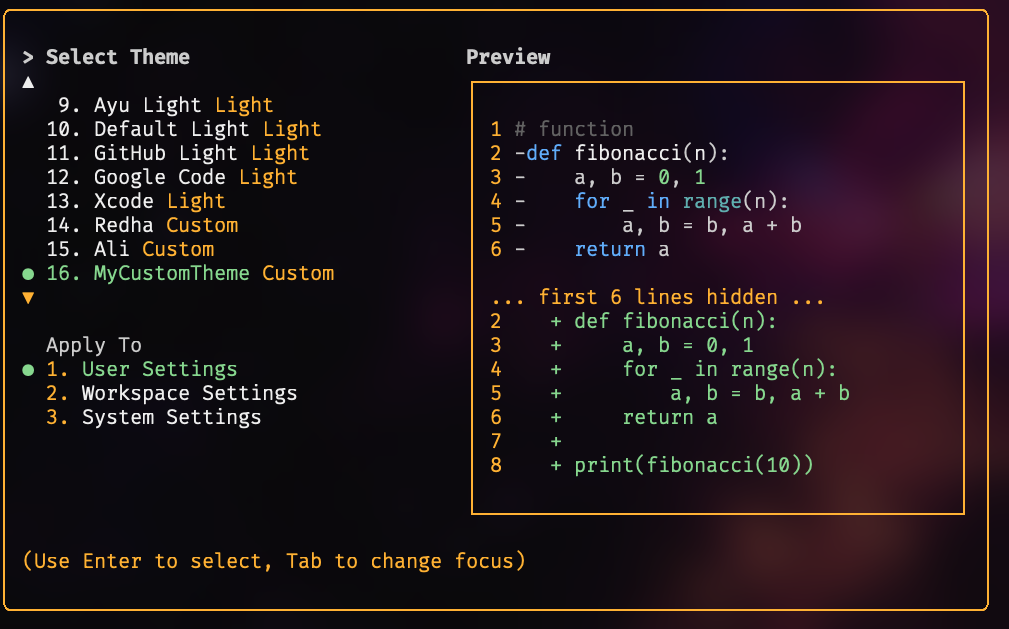
自定义主题示例
¥Example Custom Theme
使用您的自定义主题
¥Using Your Custom Theme
使用选择您的自定义主题
/themeGemini CLI 中的命令。您的自定义主题将出现在主题选择对话框中。¥Select your custom theme using the
/themecommand in Gemini CLI. Your custom theme will appear in the theme selection dialog.或者,通过添加将其设置为默认值
"theme": "MyCustomTheme"到你的settings.json。¥Or, set it as the default by adding
"theme": "MyCustomTheme"to yoursettings.json.自定义主题可以在用户、项目或系统级别设置,并遵循相同的配置优先级与其他设置一样。
¥Custom themes can be set at the user, project, or system level, and follow the same configuration precedence as other settings.
黑暗主题
¥Dark Themes
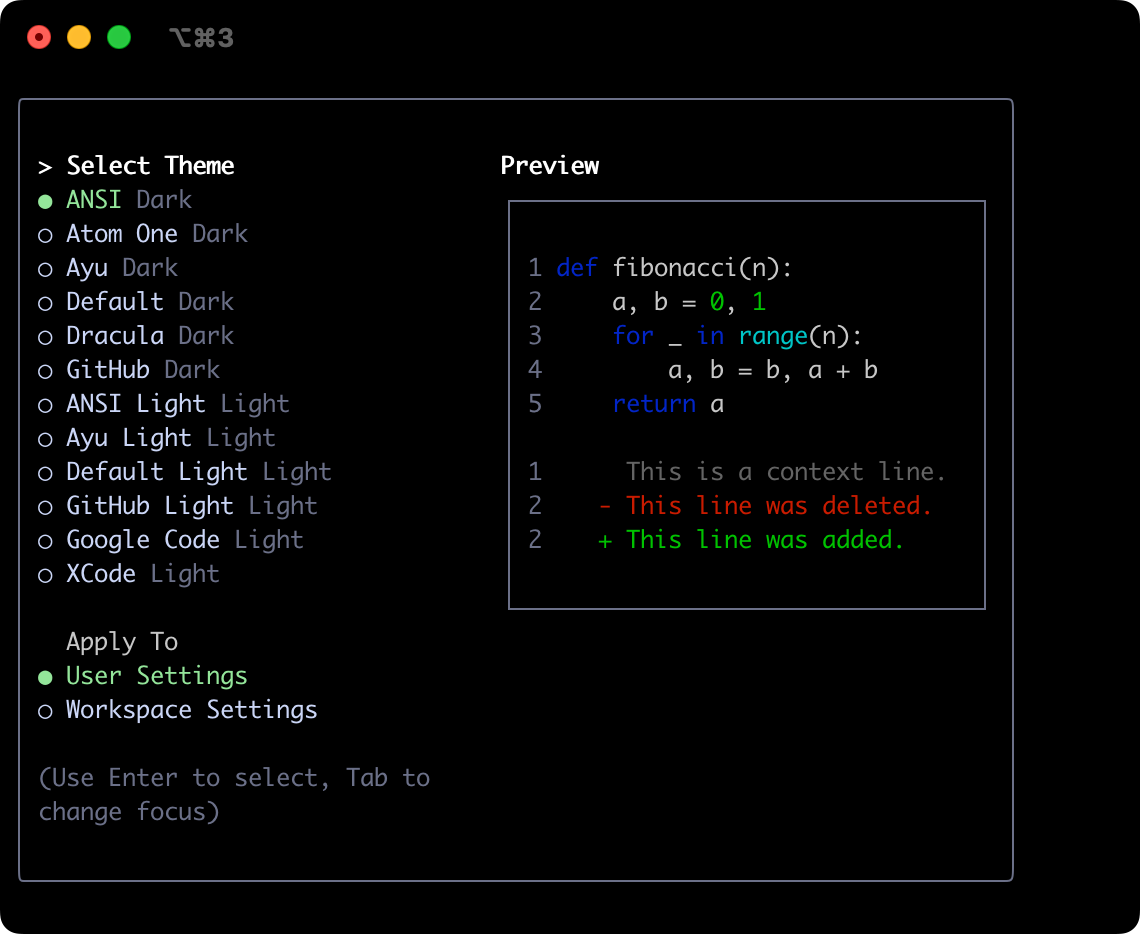
美国国家标准
¥ANSI
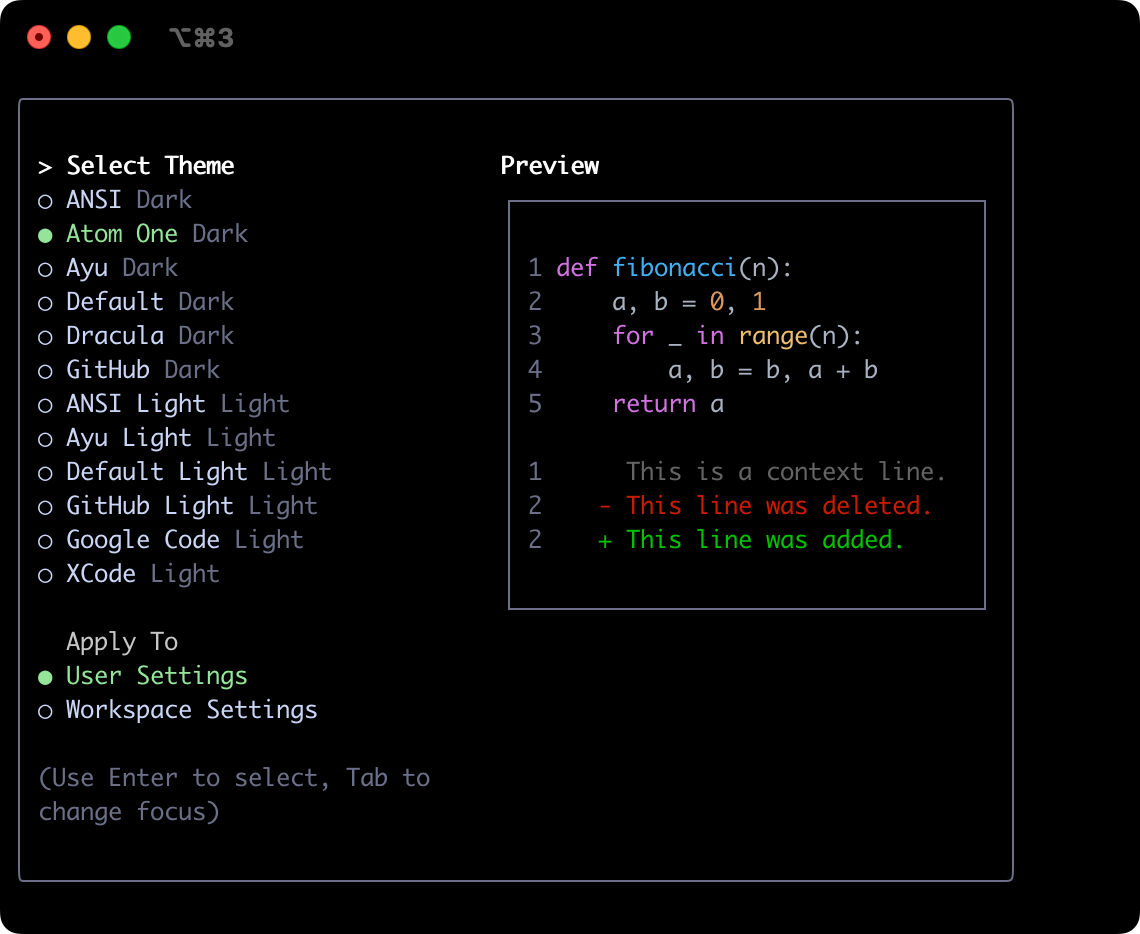
Atom OneDark
¥Atom OneDark
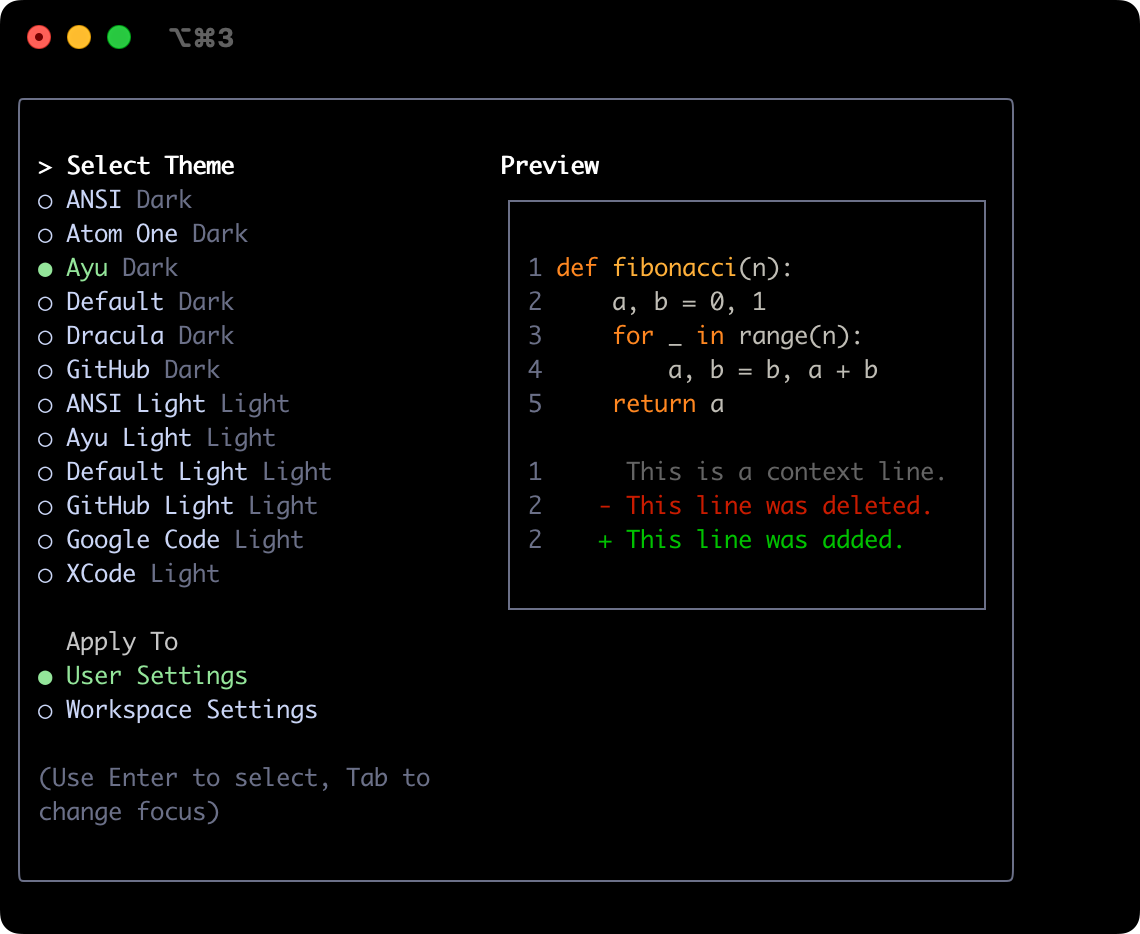
香鱼
¥Ayu
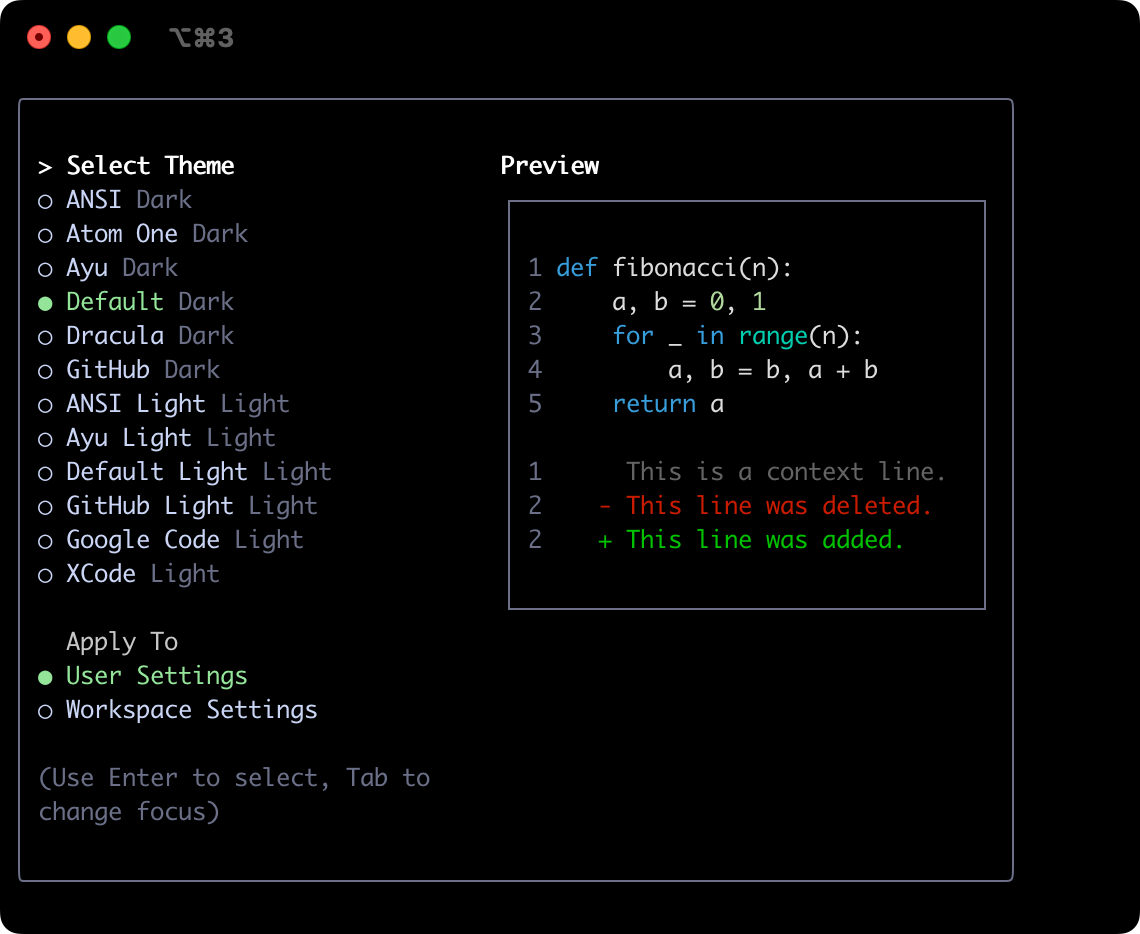
默认
¥Default
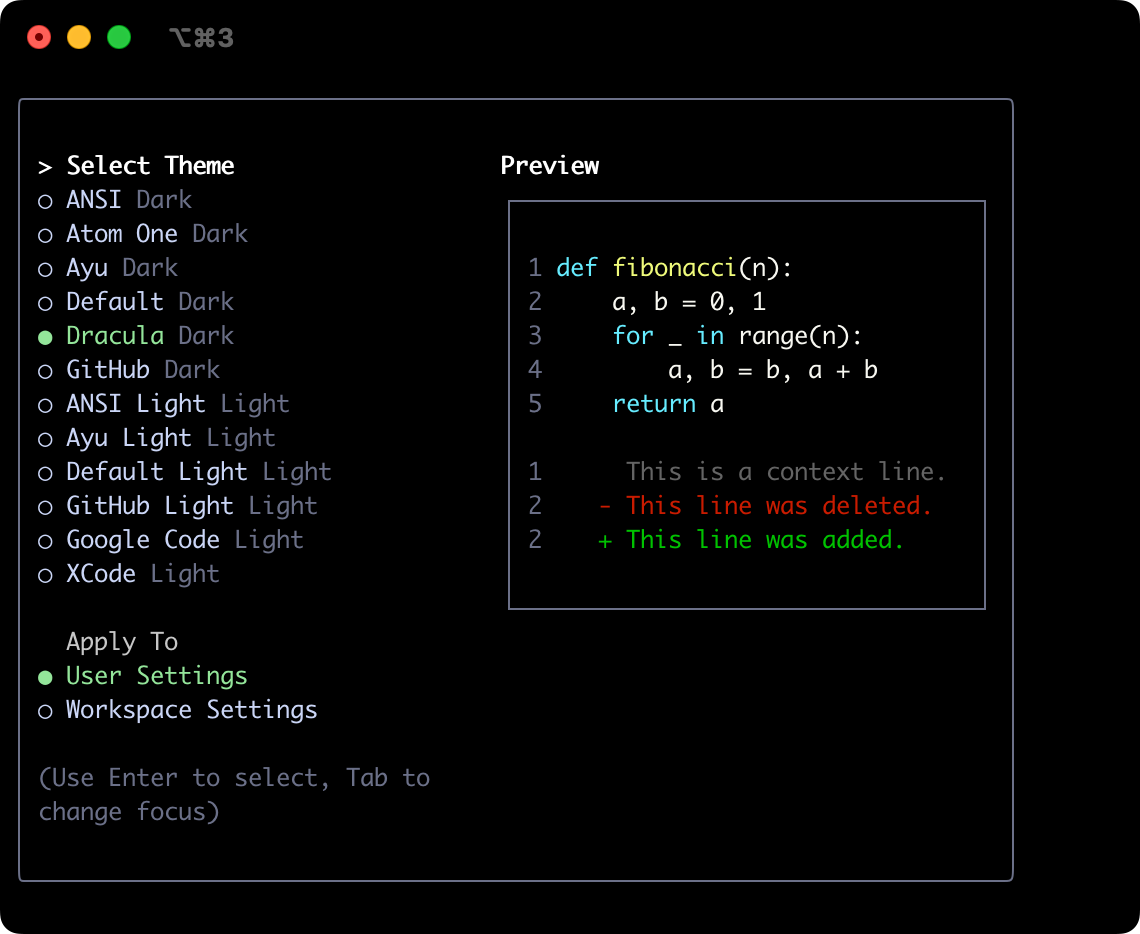
德古拉
¥Dracula
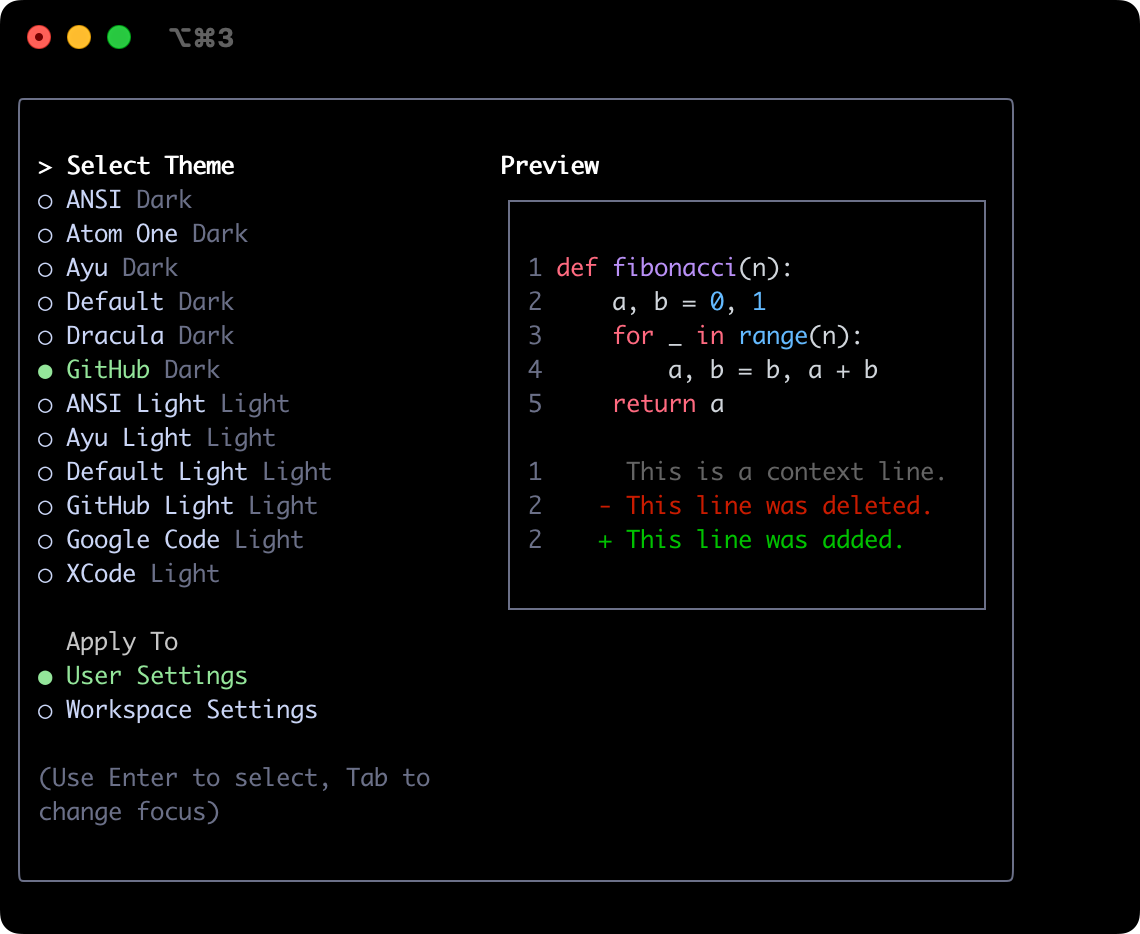
GitHub
¥GitHub
浅色主题
¥Light Themes
ANSI 轻型
¥ANSI Light
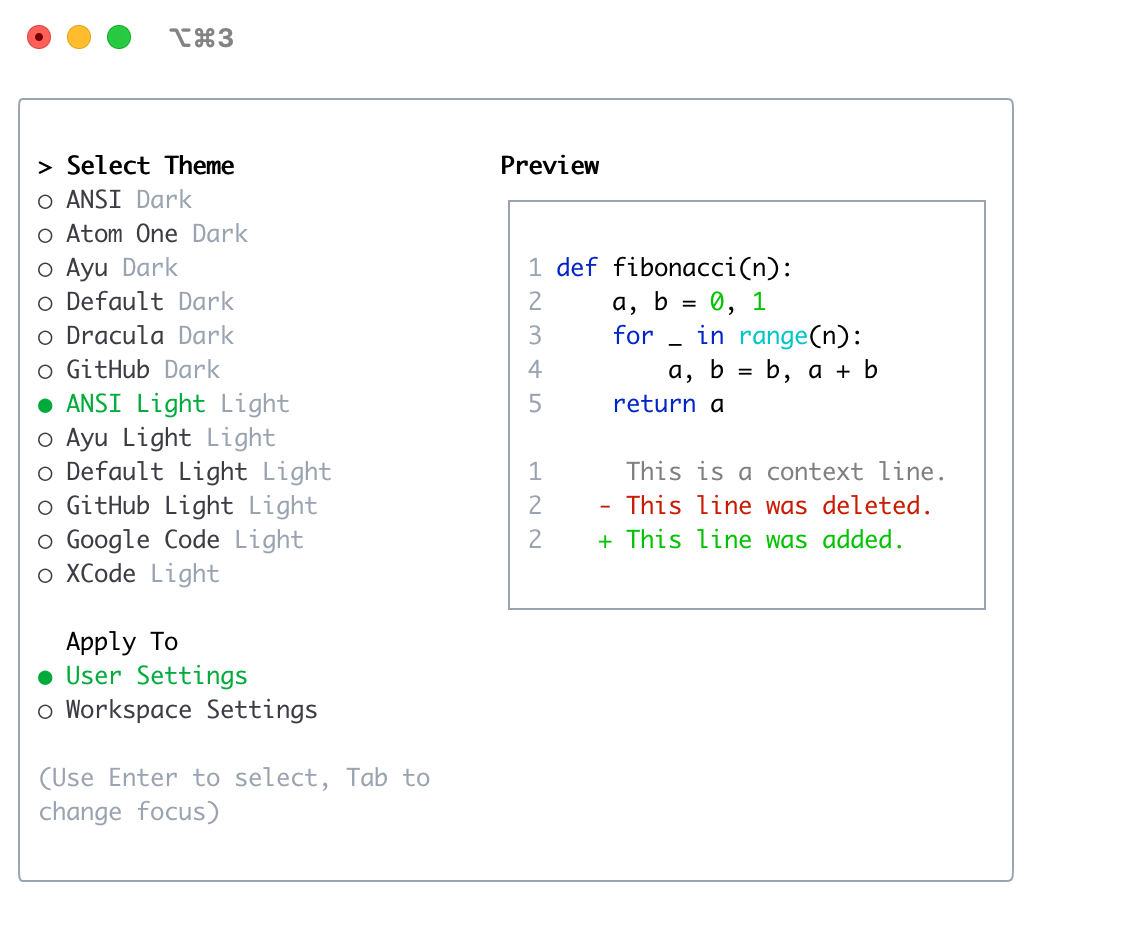
香鱼灯
¥Ayu Light
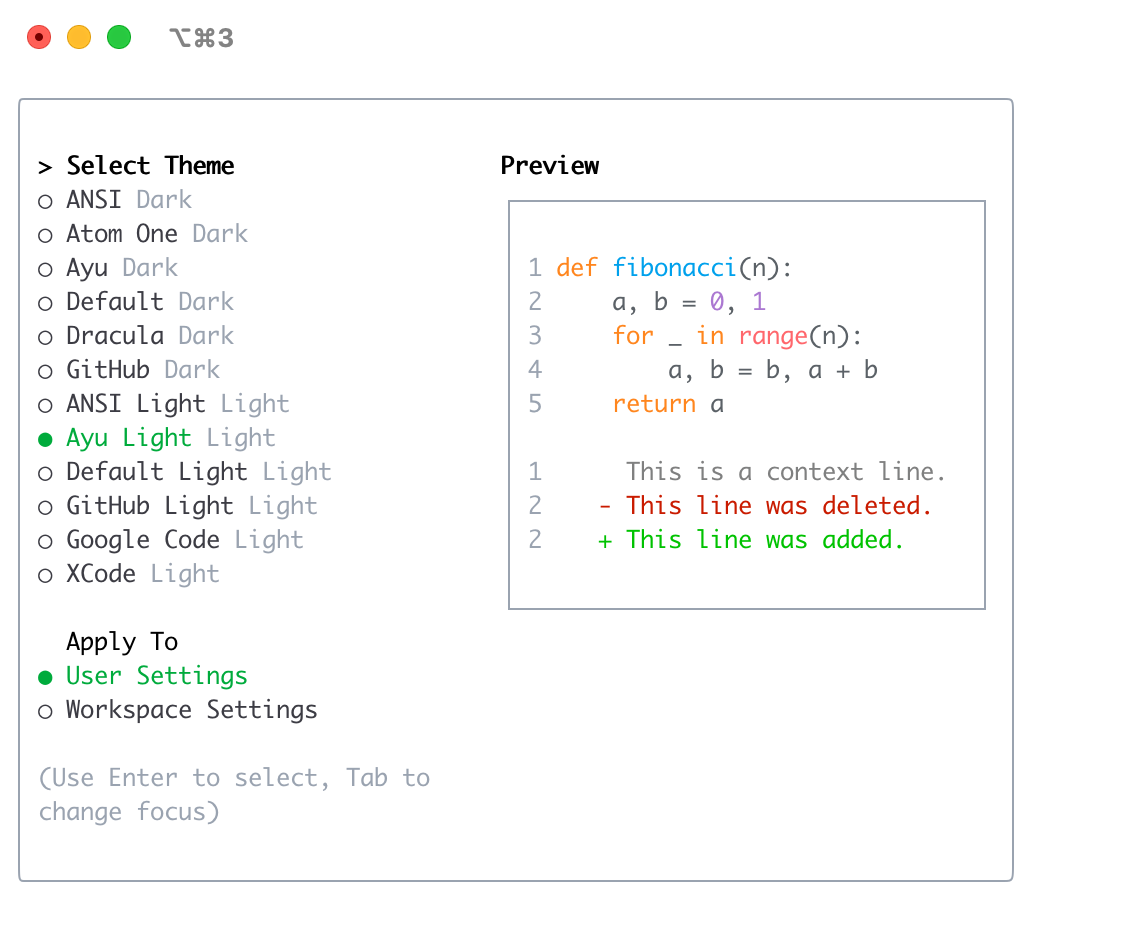
默认灯光
¥Default Light
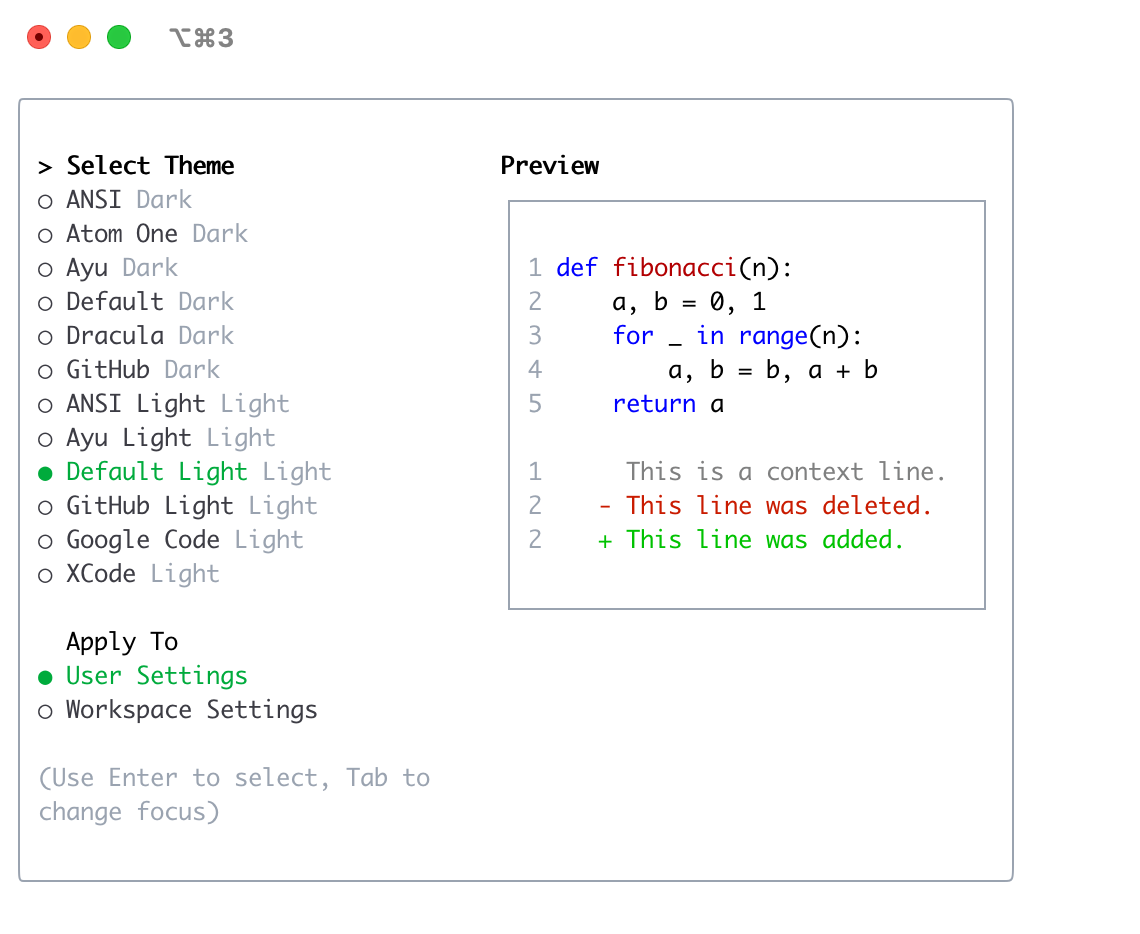
GitHub Light
¥GitHub Light
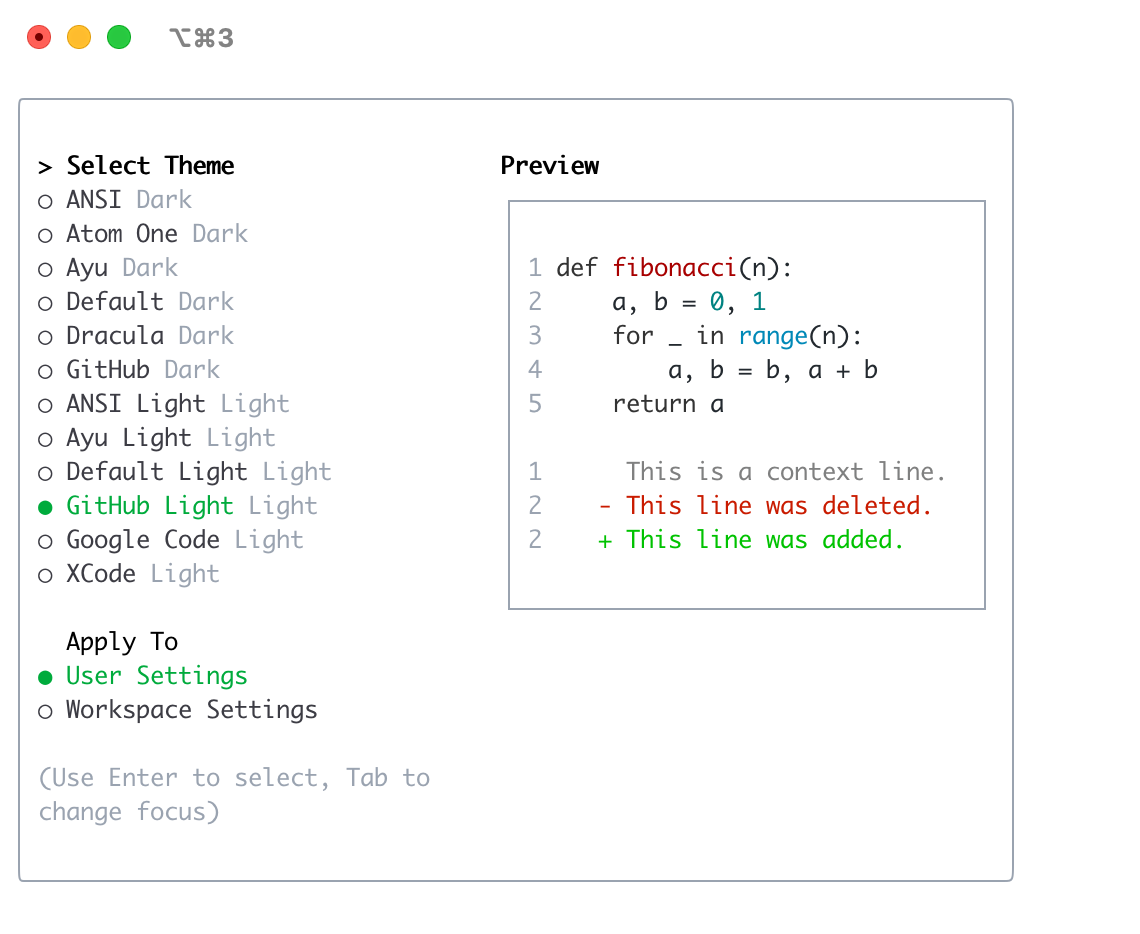
Google 代码
¥Google Code
Xcode
¥Xcode